
For cirka 1½ måned siden lancerede Google deres seneste store opdatering af deres algoritme. Det blev til en lille kolibri, kaldet Google Hummingbird, som påvirker 90% af alle søgeresultater. Navnet “Google Hummingbird” står for “præcis og hurtig” – og indikerer at denne opdaterings fokus var at gøre søgninger mere præcise. Og det er netop hvad opdateringen går ud på: at opdatere algoritmens behandling af søgeordene som brugere indtaster, så det bliver bedre til at håndtere lange og komplekse søgeord. Læs videre “Google Hummingbird – nyeste opdatering på Googles søgealgoritme”
Krigen om fremtidens OS platform

Går vi 5 år tilbage var der ingen tvivl. Det altdominerende operativ system (OS) var Microsoft Windows – ja mange talte oven i købet om et monopol. Det har ændret sig meget de sidste år. I dag stiller nogen spørgsmålstegn ved hvorvidt Windows overhovedet vil overleve i fremtiden. Her analyserer vi de forskellige OS der dominerer markedet for tiden og kigger på om Windows virkelig har en fremtid. Læs videre “Krigen om fremtidens OS platform”
De bedste flashkortapps til medicinstuderende
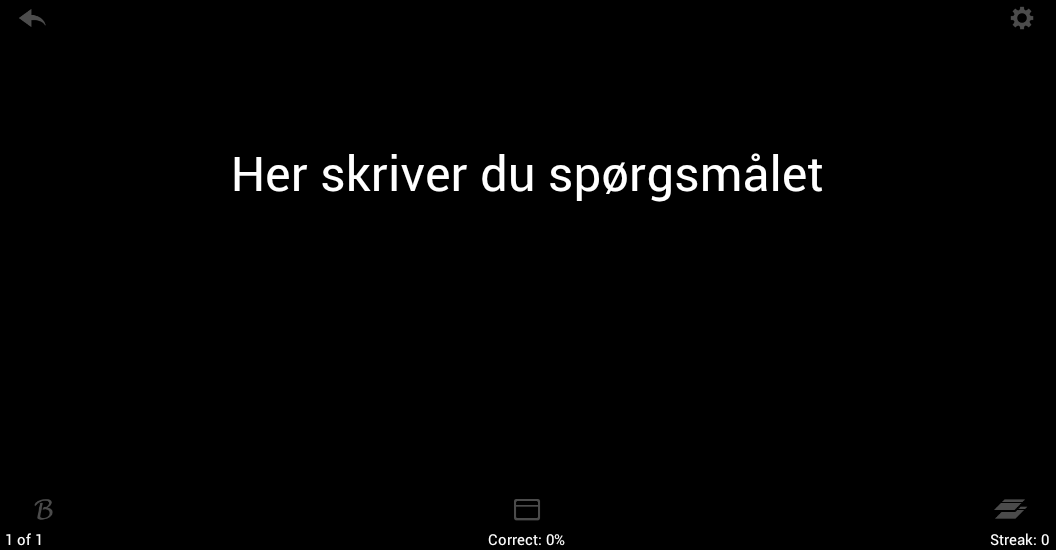
En god måde at huske ting udenad på medicinstudiet er at anvende flashkort. I gamle dage lavede man altid nogle papkort man kunne træne anatomi spørgsmål med. De tider er forbi og er afløst af nyere teknologi, nemlig med Flashkort programmer og apps. I denne artikel vil jeg kort præsentere nogle af de bedre Flashkort apps, hvad de kan, hvad der er fordele og ulemper samt hvad jeg anbefaler du skal vælge.
Læs videre “De bedste flashkortapps til medicinstuderende”The ultimate FAQ for Google Authorship and Author rank
Google Authorship and author rank is the new trend in Search Engine Optimization in 2013. There has been asked a lot of questions to how to setting up authorship and how to get a high author rank. See some of the answers here.
What is Google Authorship?
Google Authorship is a link between the content you write on your website and your Google+ profile. The main purpose with Authorship is to determine your Author rank.
What are the benefits of setting up Authorship for my website?
On some of the content you have written, your Google+ Profile picture will show up next to your website in the Search Engine Result Page (SERP). This will be more eye-catchy and will increase your Click-Through-Rate (CTR). It will also contribute to your author rank, which may give you a higher place in SERP.
How do I setup Google Authorship on my website using e-mail?
- Make sure you have a Google+ profile with a recognizable profile picture.
- Create a byline on each sites where you wish to claim authorship.
- The name in the byline should be identical with the name in your profile.
- Verify that you have an e-mail address on the same domain here.
How do I setup Google Authorship on my website using authorship markup?
- Make sure you have a Google+ profile with a recognizable profile picture.
- Create a link to your Google+ profile from your website ending with the rel=author tag, like <a href=”[profile_url]?rel=author”>Google+ profile</a>.
- Create a link to your website from your Google+ profile in the Contributor to section.
How do I setup Google Authorship using rel=author tag in HEAD section?
- Make sure you have a Google+ profile with a recognizable profile picture.
- Insert this tag in your HEAD section of your website: <link rel=”author” href=”[profile_url]”/>.
- Create a link to your website from your Google+ profile in the Contributor to section.
How do I test if I have setup Authorship correctly?
You just visit this Structured Data Testing Tool, enter the URL where you have setup authorship and then click Preview. If you see your profile picture in the preview, you have authorship correctly setup.
I see my profile picture in the test tool, but not in SERP?
If you see your profile picture in the Structured Data Testing Tool, this does not mean that your profile picture will show up in SERP. First your website has to be indexet, so Google can discover your authorship markup, second you must have enough author rank before your profile picture is showed.
What is Author rank?
Author rank is a (hypothetical) ranking factor, just as Google Pagerank. But whereas Pagerank is a rank depending largely of your websites link profile, Author rank is depending largely of your authority as an author.
Does author rank exist?
Actually we don’t know. The believe of the existence of author rank is based on an old patent that Google filled out back in 2005, and some statements from Google staff.
Is author rank active yet?
Probably not. There has not yet been any official statements from Google or any other evidence that states that author rank is activated yet.
How do I increase my author rank?
You can increase your author rank for a certain topic/keyword in the following ways:
- Write more content in the same topic, where you verify your authorship.
- Get more followers on Google+ that has a high author rank in the same topics (get your enemies to follow you).
- Share other posts on Social networks (especially Google+) that has the same topic.
- +1 other posts on Google+ that has the same topic.
You should know, that if you increase your author rank on a keyword1, that may decrease your author rank on keyword2.
Where can I check or calculate author rank for my website?
Nowhere. Actually we don’t really know if Author rank exists. It is believed to exist based on some Google Patents and statements from Google staffs, but there is no clear evidence of its existence or that it currently will affect SERP. When it will be introduced and influence SERP, there will probably not be a public tool from Google where you can check your author rank.
Why don’t I see my profile picture in SERP for all keyword?
Sometimes you may see that is you try to search for your website on one keyword, your profile picture will be showed, but if you try to search for another keyword, it may not. You may also see that the profile picture is presented on one keyword sometimes, but disappears another time.
The reason for this is that Google does not guarantee that your profile picture will show up in SERP. And they do not guarantee that it is showed on all keywords. Only on keywords, where your Author rank is sufficient big enough, the profile picture will be showed.
If your profile picture is not showed on a certain keyword, you should try to increase your author rank on that keyword. However, if you increase your author rank on one keyword, that may decrease your author rank on another.
I have setup authorship, when is my profile picture showed in SERP?
If you just setup authorship on your website, this is not a guarantee of getting your profile picture showed in SERP! But if you have setup authorship correctly, you may expect from a few hours to several weeks, before the profile picture is showed.
What is the difference between rel=author and rel=publisher?
The rel=author markup points to your personal Google+ profile, whereas the rel=publisher markup points to your Google+ page.
Can I have both rel=author and rel=publisher markup on my website?
Yes, you can have both markup on your website.
What is I have two different rel=author markups on one page – which one will be used?
If you check the Structured Data Testing Tool, the first markup presented on the page will show up. However, we do not know if this is also the way it works in SERP. It may be random, none showed or the first markup is showed.
Will Authorship works for bylines written in non-english languages?
Setting up Authorship using a byline is only one way to do it – it can be done without a byline. However the important is not the language the byline is written on, but that your name in the byline is identical with your name on your Google+ profile, and that it rel=author links to your Google+ profile.
Can I build author rank with a fake Google+ profile?
Yes, in principle. If you have created a fake profile, you can build authority around that, just as well as you can build it around a real profile. Google cannot tell the difference between a real profile and a well-made fake profile.
However, it is not easy to build authority around a profile. And making a lot of fake profiles and building authority around that is definitely not easy. It will only work, if you build a fake profile just as good as a real profile.
How can I see authorship statistics for my Google+ profile?
You can do that in Google Webmastertools under Labs and Authorstats. This will show how many impressions in SERP your pages with verified authorship have, and how many click there has been on them.
Will Google find my authorship, if I don’t setup authorship?
Yes, Google will try to guess the author of an article and also include that in calculation of author rank. However, this is still a test fase, because Google has not yet found a good enough method to ensure authorship without verification. There has also been examples where they have linket the wrong author to the wrong content.
Which WordPress plugin should I use to setup Authorship?
There are many plugins that are fine to use. I can recommend AuthorSure, that makes it easy to setup authorship on both frontpage, posts, pages, tags and category pages.
How should I setup Authorship for multiple authors?
Create an author page for each author and rel=author link to each authors Google+ profile on that page. Have a list of all posts that author has written on their author page. Let the single author link to their author page from their Google+ profiles Contributes to-section. Then Google will give them Authorship on all posts they have written.
If you have a website with multiple authors, don’t claim authorship for the full site. Build a multiple authorship system from start, and make yourself one of the authors.
Does your number of followers has anything to do with Author rank?
Yes, we believe that Author rank depends on the number of followers a Google+ user has. More followers show that you are popular, and an expert in your field. Especially, if your followers also have authority in the same topic, but you have more followers, that will increase your Author rank.
However you should be aware that author rank is not yet active, and no one knows the algorithm of author rank.
In Structure Data Testing Tool I see a lot of warnings, can that affect my Authorship?
No, those warnings has nothing to do with Authorship. The warnings may be:
Warning: Missing required field “entry-title”.
Warning: Missing required field “updated”.
Warning: Missing required hCard “author”.
But these warnings does not refer to Authorship warnings.
Does optimizing my profile picture affect my CTR?
Yes, if you can make your profile picture more eye-catchy, e.g. by making a round image, that will increase your CTR.
Can I claim Authorship on my Youtube Profile?
No, Google has turned this option off.
How do I claim Authorship of my guest posts?
You should also claim Authorship of the guest posts you write on other websites. First make sure that the website owner does not have claimed authorship of the full website. Then just insert the link <a href=”[profile_url]?rel=author”>Google+ profile</a> somewhere in your guest post (e.g. in the author box or on an author page). Then link to the article or your author page from the Contributor section in your Google+ profile.
Should I use rel=publisher or rel=author for my website?
You can do both. However, I recommend that you use rel=publisher for your front page and rel=author for single pages.
Why is my Google+ page photo not showed in SERP?
Google is still testing how to include Google+ page photos in SERP. But first make sure that you have used the rel=publisher tag. Then you have to build enough authority and a very large number of followers, before Google+ page photo is showed.
Is there any disadvantages to have more authorship links on a page?
No, just as long as they point to the same Google+ profile.
How to make high quality websites
Search Engine Optimization (SEO) seems to move in a direction, where high quality websites is the key to get in the top of Search Engine Result Page (SERP). But what are a high quality website in Google’s eyes?
According to Google’s Webmaster guidelines, a high quality website is a website that meets the following criteria:
- The website is made primarily for users on the site, and not Google.
- The website does not deceive the user of the website, e.g. if the website looks almost like a copy of another well-respected website, so the user thinks that your site is the other website.
- The website is not optimized with tricks that does not benefit the user of the website, but is only intended to get a higher ranking in Google.
- The website should have unique content – avoid duplicate content. Google is not interested in having two websites with the same content in their index.
- The content of the website is valuable, i.e. the user of the website gets the content what they where searching for.
- The website engage the user, i.e. if you have a community, discussion board, comment system, social sharing of content etc.
- The website does not have any false links, i.e. links that were made from link exchange programs, programs where you buy links or automatically created links.
- Loads fast – a fast loading website gives the best user experience to the end user. You should optimize your websites load speed.
We will now look closer on some of these things that Google points out.
Website made for users
Some websites is often not made for the users of the website, but only to get a high ranking in Google, so it tricks users of Google to go to the website, and e.g. click on ads. When you decide to make a new website, you should only make a website in areas that you have interests in – this will secure that you make the best website. You should for instance not make a website about garden trees if you don’t have any interests or experience on that area what so ever.
Websites that deceive users
There are many ways that you could deceive users of a website and if Google finds out, you will get penalized immediately. Here are some examples on how a website can deceive users:
- Hidden elements on website: You could have hidden text or links on your website. Users of the website cannot see these, but Google can. So if you had hidden elements, your website could be present in SERP for something that the users of the website cannot see.
- The website redirect you to another site, that has totally another content and shows something the user was not expected.
- Websites that contains malware – these websites will also get immediately penalized.
- Using Cloaking techniques, i.e. that you present two different contents to users and Google. If a Google Bot IP address is recognized one page is showed and indexed, but if another IP address is recognized another page is showed, so the user is not showed the same page as the search engine.
- Automatically created content, e.g. if you have autopost plugins installed that creates content from e.g. Twitter updates and Wikipedia etc.
- Scraped or duplicate content – i.e. two copies of the same page, e.g. if you steel content from another site.
A lot of duplicate content
If your site has a lot of duplicate content, Google will not give it a high ranking. Duplicate content can either come from scraped content (content stolen from another site) or technically duplicate content, e.g. if you link to your website both from the WWW and the Non-WWW version of the URL. Therefore: Always link consistent with the same url-form and choose in Webmaster Tools that you want to use a certain url-form, or write it in a .HTACCESS file.
Unique and high-value content
Always write unique and high-value content, i.e. content that the user cannot find anywhere else and that gives the user answer for their questions.
Another good idea is to make something that engage your users, e.g. a social sharing service, a commenting system, discussion board etc. You should always have social sharing on all your sites, commenting systems on almost all sites and first startup a discussion board system, when your website has enough users to use it. An empty discussion board system has no value to the user.
Link sharing programs or buying links
You should never ever attend in a link sharing program, e.g. a program where I add a link to your website on my website, and in return you add a link to my website on your website. This should be win-win to both webmasters, but if Google finds out you use this technique too much, your website will get penalized.
Also you should never buy links from other people. Links should always be true and only made by a user who really wants to share your content. Not just for giving you more links.
Fast loading websites
A faster loading website gives a better user experience to users. Google knows that if a user clicks on a link to your website in the SERP and the website has a too high loadtime, the user will move away from the website, even before it is loaded. It is therefore always important to look on the loadtime of the website. You can test the loadtime of your website and how to improve it on Google Pagespeed tool.
I hope these things gave you an idea of what Google means when they say that they want high quality websites. If you could use the article, please share it on your social networks.
Gode Joomla hosts som kan anbefales

Når man har besluttet man vil lave sin webside i Joomla, kommer det næste spørgsmål: Hvilken host skal jeg vælge? Her er der mange forskellige muligheder, men ikke alle hosts er lige gode til at håndtere Joomla. I denne artikel vil jeg komme ind på nogle af de danske og udenlandske hostfirmaer du skal vælge, når du skal finde et webhotel til din Joomla webside. Læs videre “Gode Joomla hosts som kan anbefales”
Opgrader Joomla 2.5 til Joomla 3
Joomla har igennem et stykke tid nu haft version 3 udgivet, så man har muligheden for at opgradere version 2.5 (eller 1.5) til version 3.0. Dette er dog ikke noget man bare lige skal gøre uden planlægning, da det hurtigt kan gå galt. I denne artikel vil jeg forklare om de forskellige muligheder for opgradering af Joomla er, samt hvad fordelene og ulemperne er. Læs videre “Opgrader Joomla 2.5 til Joomla 3”
Installer udvidelser til Joomla 3
Denne guide vil vise dig hvordan du kan downloade og installere udvidelser til Joomla (programudvidelser, komponenter og moduler). Artiklen viser hvordan dette foregår i Joomla 3, men guiden kan også sagtens bruges til Joomla 2.5. Er du i tvivl om hvordan du installerer Joomla? Så se min installationsguide til Joomla 3. Læs videre “Installer udvidelser til Joomla 3”
Sådan installerer du Joomla på dansk
Denne artikel viser dig hvordan du installerer Joomla med dansk sprog, så du kan starte med at bygge din nye Joomla webside. Det er en begynderartikel for dem der ikke er så erfaren med Joomla. Herudover vil jeg give dig nogle tips til hvor du henter gratis hjælp, hvis du har brug for hjælp til at opsætte din Joomla webside. Læs videre “Sådan installerer du Joomla på dansk”
Sådan sletter du poster helt og tømmer papirkurven i Joomla 3
Dette er en artikel der handler om noget meget simpelt. Artiklen demonstrerer hvordan man i Joomla 3 sletter sine artikler og andre poster helt og hvordan man tømmer papirkurven. Grunden til at jeg har valgt at skrive denne artikel, er fordi jeg netop har fået et spørgsmål om hvordan man gør dette. Jeg vil i denne artikel vise hvordan man sletter og gendanner artikler, men princippet er præcist det samme for andre typer af poster. Bruger du Joomla 2.5 vil du også sagtens kunne bruge guiden, da princippet er nøjagtig det samme for både Joomla 2.5 og 3.0. Læs videre “Sådan sletter du poster helt og tømmer papirkurven i Joomla 3”